title
Hearing disability
description
We work as a team to ensure your travel experience is accessible at every stage.
imageDesktop

Guide for your journey
Discover how we support you through every stage of your trip, from booking to your arrival at the destination
<div><div style="display: flex; justify-content: center; align-items: center;"><img style="width: 100%; height: 180px; border-radius: 1rem;" src="https://static.avianca.com/media/q1jkejmm/al-hacer-tu-reserva-icon-v2.svg" alt=""></div></div>
<div><div style="background: #FFFFFF; border-radius: 1rem; box-shadow: 0 0.125rem 0.75rem rgb(27 27 27 / 15%); box-sizing: border-box;"> <div style="width: 100%, box-sizing:border-box; ; padding: 1.5rem;"> <h3 class="context-h2">When booking your flight</h3> <p style="margin-bottom: 3px;"><span style="color: #2ab6ca; font-size: 14px;">● </span> <strong>On avianca.com</strong><span> </span>when booking: during the checkout process, go to the <strong>"<span class="BCX0 SCXP82918007">Accessibility</span><span class="NormalTextRun BCX0 SCXP82918007"> and </span><span class="BCX0 SCXP82918007">assistance</span>"</strong><span> </span>option in the third step and then select<span> </span><strong>"Do you have a hearing disability?"</strong>.</p> <p style="margin-bottom: 8px;"><span style="color: #2ab6ca; font-size: 14px;">● </span> At the <strong><a href="/en/about-us/contact-us/" title="Contact us">Contact center or sales office</a>:</strong> let us know what assistance you need.</p> <p style="margin-bottom: 8px;"><span style="color: #2ab6ca; font-size: 14px;">● </span>Access the TDD service from:<br>> United States: <strong><a href="tel:+18007784838">+1 800 778 4838</a></strong> (voice) or <a href="tel:+18004559880"><strong>+1 800 455 9880</strong></a> (TTY)> Brazil: <strong><a href="tel:+5508007248754">+55 0800 724 8754</a></strong></p> </div> </div></div>
<div><div style="display: flex; justify-content: center; align-items: center;"><img style="width: 100%; height: 180px; border-radius: 1rem;" src="https://static.avianca.com/media/h33pghi5/antes-de-tu-viaje-icon-v2.svg" alt=""></div></div>
<div><div style="background: #FFFFFF; border-radius: 1rem; box-shadow: 0 0.125rem 0.75rem rgb(27 27 27 / 15%); box-sizing: border-box;"> <div style="width: 100%, box-sizing:border-box; ; padding: 1.5rem;"> <h3 class="context-h2">Before your trip</h3> <p>You can request assistance at least <strong>48 hours before your flight</strong> through:</p> <p style="margin-bottom: 3px;"><span style="color: #2ab6ca; font-size: 14px;">● </span> <a rel="noopener" href="https://cambiatuitinerario.avianca.com/en/search" target="_blank"><strong>Manage your booking</strong></a>: log in with your booking code and last name, or call our <a href="/en/about-us/contact-us/" title="Contact us">Contact center</a>.</p> <p style="margin-bottom: 8px;"><span style="color: #2ab6ca; font-size: 14px;">● </span> Download our app from <strong><a rel="noopener" href="https://play.google.com/store/apps/details?id=areamovil.aviancataca&hl=en_CO&pli=1" target="_blank" data-anchor="?id=areamovil.aviancataca&hl=en_CO&pli=1">Play Store</a></strong> or <strong><a rel="noopener" href="https://apps.apple.com/co/app/avianca/id590816148?l=en-GB" target="_blank" data-anchor="?l=en-GB">App Store</a></strong> to: <br>> Check your flight information.<br>> <a href="https://checkinnew.avianca.com/Check-In?lang=En" title="Check in" data-anchor="?lang=En">Check-in</a>.<br>> Get your boarding pass.</p> <p style="margin-bottom: 8px;"><span style="color: #2ab6ca; font-size: 14px;">● </span> Check your <strong><a href="/en/information-and-help/baggage/" title="Baggage">baggage</a></strong> dimensions, weight, and permitted items based on your fare type.</p> <p style="margin-bottom: 3px;"><span style="color: #2ab6ca; font-size: 14px;">● </span>If you need assistance, please approach the airport counters to:<br>> Verify the necessary documentation.<br>> Receive all the information about your flight.</p> </div> </div></div>
<div><div style="display: flex; justify-content: center; align-items: center;"><img style="width: 100%; height: 180px; border-radius: 1rem;" src="https://static.avianca.com/media/4afjqtmd/en-el-aeropuerto-de-origen-icon-v2.svg" alt=""></div></div>
<div><div style="background: #FFFFFF; border-radius: 1rem; box-shadow: 0 0.125rem 0.75rem rgb(27 27 27 / 15%); box-sizing: border-box;"> <div style="width: 100%, box-sizing:border-box; ; padding: 1.5rem;"> <h3 class="context-h2">At your departure airport</h3> <p style="margin-bottom: 3px;"><span style="color: #2ab6ca; font-size: 14px;">● </span>Complete your <a rel="noopener" href="https://checkinnew.avianca.com/Check-In?lang=En" target="_blank" data-anchor="?lang=En"><strong>Check-in</strong></a> before arriving at the airport.</p> <p style="margin-bottom: 3px;"><span style="color: #2ab6ca; font-size: 14px;">● </span>Use the "<strong>Special Assistance</strong>" lines at the airport for passengers who require assistance.</p> <p style="margin-bottom: 3px;"><span style="color: #2ab6ca; font-size: 14px;">● </span>If your disability is not visible, let us know how we can assist you better.</p> <p style="margin-bottom: 3px;"><span style="color: #2ab6ca; font-size: 14px;">● </span>In the boarding area, you can request pre-boarding for more time to settle in your seat.</p> <p style="margin-bottom: 3px;"><span style="color: #2ab6ca; font-size: 14px;">● </span>Not all our agents know sign language, so explain to them how you prefer to communicate:<br>> In writing. <br>> With gestures.<br>> Another option.<br><br></p> <p style="margin-bottom: 3px;"><span style="color: #2ab6ca; font-size: 14px;">● </span>Look for the screens at the airport displaying details such as:<br>> Departure time. <br>> Flight number. <br>> Gate number. <br>> Time in the gate.</p> </div> </div></div>
<div><div style="display: flex; justify-content: center; align-items: center;"><img style="width: 100%; height: 180px; border-radius: 1rem;" src="https://static.avianca.com/media/sh1h5omi/a-bordo-icon-v2.svg" alt=""></div></div>
<div><div style="background: #FFFFFF; border-radius: 1rem; box-shadow: 0 0.125rem 0.75rem rgb(27 27 27 / 15%); box-sizing: border-box;"> <div style="width: 100%, box-sizing:border-box; ; padding: 1.5rem;"> <h3 class="context-h2">On board</h3> <p style="margin-bottom: 3px;"><span style="color: #2ab6ca; font-size: 14px;">● </span>Our crew will provide you with safety information through <strong>non-verbal communication</strong>.</p> <p style="margin-bottom: 3px;"><span style="color: #2ab6ca; font-size: 14px;">● </span>Safety videos are available in:</p> <p style="padding-left: 40px;"><strong><span style="color: #2ab6ca; font-size: 14px;">● </span><a rel="noopener" href="https://www.youtube.com/watch?v=rOtKNccR5iY?v=AKoQJLpEcu4&feature=youtu.be" target="_blank" data-anchor="?v=AKoQJLpEcu4&feature=youtu.be">International Sign System (SSI)</a></strong> with english subtitles.</p> <p style="margin-bottom: 3px;"><span style="color: #2ab6ca; font-size: 14px;">● </span>On twin-aisle aircraft (B787), safety videos include subtitles in Spanish and English.</p> <p style="margin-bottom: 3px;"><span style="color: #2ab6ca; font-size: 14px;">● </span><strong>For safety reasons:</strong> you cannot be seated in the <strong>emergency exits</strong>.</p> <p style="margin-bottom: 3px;"><span style="color: #2ab6ca; font-size: 14px;">● </span>If the aircraft has WI-FI, you can access entertainment from your personal device. The onboard entertainment system includes <strong>subtitles</strong>.</p> <p style="margin-bottom: 3px;"><span style="color: #2ab6ca; font-size: 14px;">● </span>Check the options of the <strong><a href="/en/information-and-help/avianca-experience/food-and-drinks/" title="Food and drinks">onboard sales menu</a></strong>, depending on your flight route and cabin.</p> </div> </div></div>
<div><div style="display: flex; justify-content: center; align-items: center;"><img style="width: 100%; height: 180px; border-radius: 1rem;" src="https://static.avianca.com/media/f1ted23s/en-el-aeropuerto-de-destino-icon-v2.svg" alt=""></div></div>
<div><div style="background: #FFFFFF; border-radius: 1rem; box-shadow: 0 0.125rem 0.75rem rgb(27 27 27 / 15%); box-sizing: border-box;"> <div style="width: 100%, box-sizing:border-box; ; padding: 1.5rem;"> <h3 class="context-h2">At your arrival or connecting airport</h3> <p style="margin-bottom: 3px;"><span style="color: #2ab6ca; font-size: 14px;">● </span><strong>Disembarkation:</strong><span> </span>depending on the airport, we may use stairs and bus transportation to the terminal. For safety reasons, passengers requiring assistance will disembark last.</p> <p style="margin-bottom: 3px;"><span style="color: #2ab6ca; font-size: 14px;">● </span><strong>Ground assistance:</strong> if needed, our team will guide you through the next steps of your journey.</p> </div> </div></div>
More information
lazy

Intellectual disability and neurodivergence
Person with a psychosocial disability, or other related diagnoses.
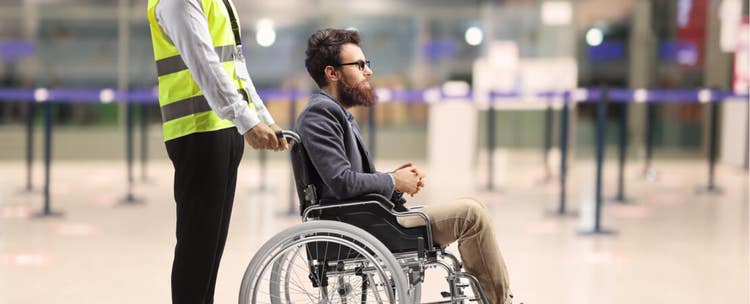
Physical disability
Person with a wheelchair or conditions in their limbs that affect their mobility.
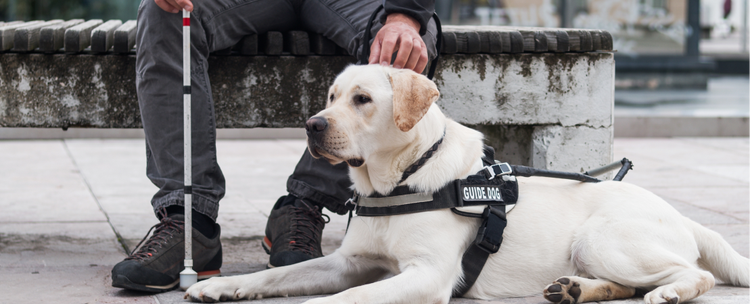
Visual disability
Person who is blind, has low vision, and uses mobility aids such as a cane or service