title
Discapacidad visual
description
Trabajamos en equipo para que tu experiencia de viaje sea accesible en cada etapa.
imageDesktop
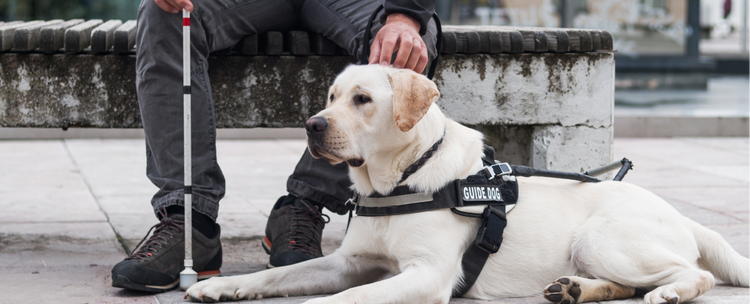
Guía para tu viaje
Descubre cómo acompañamos cada etapa de tu viaje, desde la reserva hasta tu llegada al destino
<div><div style="display: flex; justify-content: center; align-items: center;"><img style="width: 100%; height: 180px; border-radius: 1rem;" src="https://static.avianca.com/media/q1jkejmm/al-hacer-tu-reserva-icon-v2.svg" alt=""></div></div>
<div><div style="background: #FFFFFF; border-radius: 1rem; box-shadow: 0 0.125rem 0.75rem rgb(27 27 27 / 15%); box-sizing: border-box;"> <div style="width: 100%, box-sizing:border-box; ; padding: 1.5rem;"> <h3 class="context-h2">Al hacer tu reserva</h3> <p>Solicita asistencia según tu canal de compra:</p> <p style="margin-bottom: 3px;"><span style="color: #2ab6ca; font-size: 14px;">● </span> <strong>En avianca.com</strong><span> </span>al hacer tu reserva: durante el proceso de compra, en el tercer paso dirígete a la opción <strong>"Accesibilidad y asistencia"</strong> y luego selecciona <strong>"¿Tienes una discapacidad visual?".</strong></p> <p style="margin-bottom: 8px;"><span style="color: #2ab6ca; font-size: 14px;">● </span> En el <strong><a href="/es/sobre-nosotros/contactanos/" title="Contactanos">Contact center u oficina de venta</a>:</strong> indícanos qué asistencia necesitas.</p> <p style="margin-bottom: 3px;"><strong><br>Ten en cuenta</strong></p> <p style="margin-bottom: 8px;"><span style="color: #2ab6ca; font-size: 14px;">● </span> Si durante el vuelo necesitas ayuda para ir al baño, cuidado personal, comer, administración de medicamentos o interpretación de las instrucciones de seguridad, deberás viajar con un acompañante.</p> </div> </div></div>
<div><div style="display: flex; justify-content: center; align-items: center;"><img style="width: 100%; height: 180px; border-radius: 1rem;" src="https://static.avianca.com/media/h33pghi5/antes-de-tu-viaje-icon-v2.svg" alt=""></div></div>
<div><div style="background: #FFFFFF; border-radius: 1rem; box-shadow: 0 0.125rem 0.75rem rgb(27 27 27 / 15%); box-sizing: border-box;"> <div style="width: 100%, box-sizing:border-box; ; padding: 1.5rem;"> <h3 class="context-h2">Antes de tu viaje</h3> <p style="margin-bottom: 8px;"><span style="color: #2ab6ca; font-size: 14px;">● </span>Podrás viajar con tus ayudas como bastón de movilidad, perro guía u otros.</p> <p style="margin-bottom: 3px;"><span style="color: #2ab6ca; font-size: 14px;">● </span> <strong>Si ya tienes tu reserva:</strong> solicita asistencia al menos <strong>48 horas antes del vuelo</strong> a través de <strong><a rel="noopener" href="https://cambiatuitinerario.avianca.com/es/search" target="_blank">Gestiona tu reserva</a></strong> ingresando tu código de reserva y apellido. En la sección <strong>"¿Qué más puedes hacer con tu reserva?"</strong>, selecciona <strong>"Servicios especiales"</strong>, o comunícate con nuestro <strong><a href="/es/sobre-nosotros/contactanos/" title="Contactanos">Contact center</a></strong>.</p> <p style="margin-bottom: 8px;"><span style="color: #2ab6ca; font-size: 14px;">● </span> Si viajas con tu perro de servicio: selecciona la opción <strong>"Vuelo con un perro de servicio"</strong> al realizar tu reserva o desde <strong><a rel="noopener" href="https://cambiatuitinerario.avianca.com/es/search" target="_blank">Gestiona tu reserva</a></strong>. Consulta la <strong><a href="https://ayuda.avianca.com/hc/es/articles/13091555715739">documentación</a></strong> requerida para su transporte.</p> <p style="margin-bottom: 8px;"><span style="color: #2ab6ca; font-size: 14px;">● </span> <strong>Prepárate para tu vuelo:</strong> descarga nuestra app desde <strong><a rel="noopener" href="https://play.google.com/store/apps/details?id=areamovil.aviancataca&hl=es_CO&pli=1" target="_blank" data-anchor="?id=areamovil.aviancataca&hl=es_CO&pli=1">Play Store</a></strong> o <strong><a rel="noopener" href="https://apps.apple.com/co/app/avianca/id590816148" target="_blank">App Store</a></strong> para verificar información de tu vuelo, hacer check-in y tener tu pase de abordar a la mano.</p> <p style="margin-bottom: 8px;"><span style="color: #2ab6ca; font-size: 14px;">● </span> Verifica las dimensiones, peso y artículos permitidos en tu <strong><a href="/es/informacion-y-ayuda/equipaje/">equipaje</a></strong> según tu tipo de tarifa.</p> </div> </div></div>
<div><div style="display: flex; justify-content: center; align-items: center;"><img style="width: 100%; height: 180px; border-radius: 1rem;" src="https://static.avianca.com/media/4afjqtmd/en-el-aeropuerto-de-origen-icon-v2.svg" alt=""></div></div>
<div><div style="background: #FFFFFF; border-radius: 1rem; box-shadow: 0 0.125rem 0.75rem rgb(27 27 27 / 15%); box-sizing: border-box;"> <div style="width: 100%, box-sizing:border-box; ; padding: 1.5rem;"> <h3 class="context-h2">En el aeropuerto de origen</h3> <p style="margin-bottom: 3px;"><span style="color: #2ab6ca; font-size: 14px;">● </span><strong><a rel="noopener" href="https://checkinnew.avianca.com/Check-In?lang=ES" target="_blank" title="Check-in online" data-anchor="?lang=ES">Check-in</a>:</strong> realízalo antes de llegar al aeropuerto. Si necesitas asistencia, dirígete a nuestros counters utilizando la fila de <strong>"Asistencia especial"</strong>, donde verificaremos documentación y te informaremos sobre tu vuelo. Si desconoces la ubicación de los counters, solicita orientación en los puntos de información del aeropuerto. </p> <p style="margin-bottom: 3px;"><br><strong>Si lo necesitas, podemos:</strong></p> <p style="margin-bottom: 3px;"><span style="color: #2ab6ca; font-size: 14px;">● </span>Asistirte para identificar información visual importante como cambios de puerta de abordaje o retrasos.</p> <p style="margin-bottom: 8px;"><span style="color: #2ab6ca; font-size: 14px;">● </span>Facilitarte el pre-abordaje para que cuentes con más tiempo para acomodarte y guardar tu equipaje de mano cómodamente.</p> </div> </div></div>
<div><div style="display: flex; justify-content: center; align-items: center;"><img style="width: 100%; height: 180px; border-radius: 1rem;" src="https://static.avianca.com/media/sh1h5omi/a-bordo-icon-v2.svg" alt=""></div></div>
<div><div style="background: #FFFFFF; border-radius: 1rem; box-shadow: 0 0.125rem 0.75rem rgb(27 27 27 / 15%); box-sizing: border-box;"> <div style="width: 100%, box-sizing:border-box; ; padding: 1.5rem;"> <h3 class="context-h2">A bordo</h3> <p style="margin-bottom: 3px;"><span style="color: #2ab6ca; font-size: 14px;">● </span><strong>Por motivos de seguridad,</strong> no podemos ofrecerte un asiento en la salida de emergencia.</p> <p style="margin-bottom: 3px;"><strong><br>Nuestra tripulación está capacitada para:</strong></p> <p style="margin-bottom: 3px;"><span style="color: #2ab6ca; font-size: 14px;">● </span>Explicarte la disposición del avión: ubicación de baños, salidas de emergencia y controles en tu asiento.</p> <p style="margin-bottom: 3px;"><span style="color: #2ab6ca; font-size: 14px;">● </span>Proporcionarte instrucciones de seguridad personalizadas antes del despegue.</p> <p style="margin-bottom: 3px;"><span style="color: #2ab6ca; font-size: 14px;">● </span>Describir la ubicación de los alimentos en la bandeja, abrir paquetes y bebidas, y leer las opciones del menú.</p> <p style="margin-bottom: 3px;"><strong><br>Ten en cuenta</strong></p> <p style="margin-bottom: 3px;"><span style="color: #2ab6ca; font-size: 14px;">● </span>Algunos de nuestros aviones de un solo pasillo (A320) tienen numeración en braille y mayor contraste para guiarte a tu asiento.</p> <p style="margin-bottom: 3px;"><span style="color: #2ab6ca; font-size: 14px;">● </span>Si el avión dispone de Wi-Fi, puedes acceder al entretenimiento desde tu dispositivo personal.</p> <p style="margin-bottom: 3px;"><span style="color: #2ab6ca; font-size: 14px;">● </span>En <strong>aviones de doble pasillo</strong> (B787), el entretenimiento está disponible en las pantallas del asiento frontal; la tripulación puede ayudarte a seleccionar contenido.</p> <p style="margin-bottom: 3px;"><span style="color: #2ab6ca; font-size: 14px;">● </span>Los timbres de llamado y los botones de luz individual suelen estar ubicados en el techo, sobre tu asiento. Si tu asiento tiene opción para reclinar, encontrarás el control en el apoyabrazos derecho.</p> <p style="margin-bottom: 3px;"><span style="color: #2ab6ca; font-size: 14px;">● </span>Consulta el <strong><a href="/es/informacion-y-ayuda/experiencia-avianca/comidas-y-bebidas/" title="Comidas y bebidas">menú de venta a bordo</a></strong>, disponible según la ruta y cabina en la que viajes.</p> </div> </div></div>
<div><div style="display: flex; justify-content: center; align-items: center;"><img style="width: 100%; height: 180px; border-radius: 1rem;" src="https://static.avianca.com/media/f1ted23s/en-el-aeropuerto-de-destino-icon-v2.svg" alt=""></div></div>
<div><div style="background: #FFFFFF; border-radius: 1rem; box-shadow: 0 0.125rem 0.75rem rgb(27 27 27 / 15%); box-sizing: border-box;"> <div style="width: 100%, box-sizing:border-box; ; padding: 1.5rem;"> <h3 class="context-h2">En el aeropuerto de destino o conexión</h3> <p style="margin-bottom: 3px;"><span style="color: #2ab6ca; font-size: 14px;">● </span><strong>Desembarque:</strong> dependiendo del aeropuerto, podríamos usar escaleras y transporte en bus hacia la terminal. Por seguridad, los pasajeros que requieren asistencia desembarcan al final.</p> <p style="margin-bottom: 3px;"><span style="color: #2ab6ca; font-size: 14px;">● </span><strong>Conexiones:</strong> si tienes vuelos de conexión, te indicaremos la puerta correspondiente o el punto de encuentro con otras aerolíneas.</p> <p style="margin-bottom: 3px;"><span style="color: #2ab6ca; font-size: 14px;">● </span><strong>Llegada:</strong> nuestro equipo puede orientarte sobre las bandas de equipaje y guiarte hacia la salida del aeropuerto.</p> </div> </div></div>
Más información de interés
lazy

Discapacidad auditiva
Persona sorda, con baja audición, que se comunica por lengua de señas o utiliza ayudas auditivas.

Discapacidad intelectual y neurodivergencia
Persona con discapacidad psicosocial u otros diagnósticos relacionados.
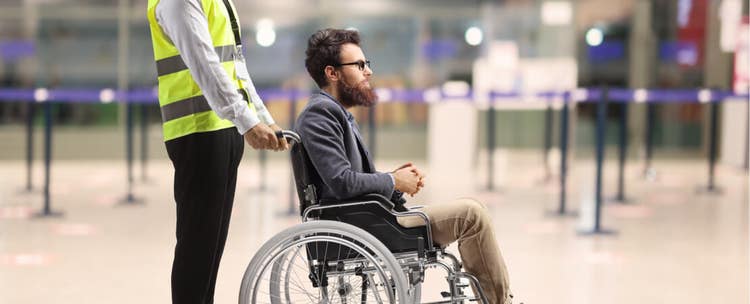
Discapacidad física
Persona con silla de ruedas o condiciones en sus extremidades que afecten su movilidad.